
STL Viewer Pro1.8 - Get APK
You'll be able to download in few seconds.
Publisher Description
SOURCE CODE FOR SALE: The entire Java source code for this app is available for sale. Please contact STL@barrythomas.co.uk to discuss.
Features
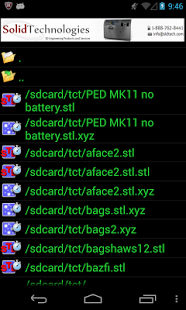
* Built in file browser
* View Binary and ASCII STL files, with smooth pan, rotate and zoom (drag and pinch) and reset to home position
* Show STL facets, vertices, XYZ axes and a bounding box or any combination
* Select model colour
* Reset model to starting position, size and rotation
* Save a screenshot of your model to a PNG file
* View model stats (file name, type, size, number of facets, volume, loading time in milliseconds)
* User settings automatically saved
* Remembers last folder viewed and returns there on startup
* Invert normals.
* Works in portrait or landscape mode
* View Binary and ASCII point cloud files (csv, asc, pts, xyz), with smooth pan, rotate and zoom (drag and pinch)
* Filter large point clouds (load all points or just 1 in 2/4/8/16/32)
* Z-boost to highlight altitude variation on wide, flat geo-surveys
* Convert ASCII STL files or point clouds to binary for 25x loading speed.
About STL Viewer Pro
The company that develops STL Viewer Pro is Barry Thomas. The latest version released by its developer is 1.8.
To install STL Viewer Pro on your Android device, just click the green Continue To App button above to start the installation process. The app is listed on our website since 2016-06-13 and was downloaded 0 times. We have already checked if the download link is safe, however for your own protection we recommend that you scan the downloaded app with your antivirus. Your antivirus may detect the STL Viewer Pro as malware as malware if the download link to barry.stlviewerpro is broken.
How to install STL Viewer Pro on your Android device:
- Click on the Continue To App button on our website. This will redirect you to Google Play.
- Once the STL Viewer Pro is shown in the Google Play listing of your Android device, you can start its download and installation. Tap on the Install button located below the search bar and to the right of the app icon.
- A pop-up window with the permissions required by STL Viewer Pro will be shown. Click on Accept to continue the process.
- STL Viewer Pro will be downloaded onto your device, displaying a progress. Once the download completes, the installation will start and you'll get a notification after the installation is finished.
Program Details
System requirements
Download information
Pricing
Version History
version 1.8
posted on 2016-06-13
v1.80. 13/06/2016 Increased facet limit to 500k and cloud point dot limit to 800k. Source code now for sale,v1.76. 12/06/2013 Fixed inconsistencies in reset rotation. Now /always/ takes the shortest route round all three axes,v1.75. 10/06/2013 Improved, smooth animation during reset, using SLERP,v1.74. 05/06/2013 Added Reset to menu,v1.73. 16/05/2013 Bugfix in model rotation,v1.72. 14/05/2013 Improved panning action,v1.71. 13/05/2013 Display bugfix for Samsung S3
version 1.76
posted on 2013-06-12
Several fixes and updates
Disclaimer
External Download
We do not host STL Viewer Pro on our servers. We did not scan it for viruses, adware, spyware or other type of malware. This app is hosted by Galad and passed their terms and conditions to be listed there. We recommend caution when installing it.
The APK Download link for STL Viewer Pro is provided to you by apps112.com without any warranties, representations or guarantees of any kind, so access it at your own risk.
If you have questions regarding this particular app contact the publisher directly. For questions about the functionalities of apps112.com contact us.
